Quick article on Magento 2 for our Magento 2 community developers. Today we are going to find out how to determine Magento 2 version in four different ways. It includes through code, CLI command, admin interface and composer.json file. Let’s go through all the four options in details.
Option 1 – Through your Magento 2 code
   /**
   * @var \Magento\Framework\App\ProductMetadata
   */
    protected $productMetadata;

    /**
     * @param \Magento\Framework\App\ProductMetadata $productMetadata
     */
    public function __construct(
        \Magento\Framework\App\ProductMetadata $productMetadata
    ) {
        $this->productMetadata = $productMetadata;
    }

    /**
     * Return Magento version
     *
     * @return string
     */
    protected function getMagento2Version()
    {
        return $this->productMetadata->getVersion();
    }
Option 2 – Go to root of your Magento folder by SSHing on your webserver & run the following command
php bin/magento --version
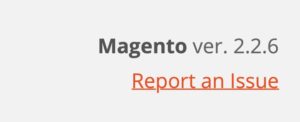
Option 4 – Login to your Magento admin and check right bottom part of the screen as shown below -:
That’s it, Hope this article helped you in some way. Please leave us your comment and let us know what do you think? Thanks.